






Kusursuz tarama ve ayrıntılı sonuçlar
Exscan Yazılımları

EXScan ile Verimliliği Ortaya Çıkarın

Adım Adım Kılavuz

Tarama Geri Sarma

Veri Kalitesi Görselleştirme

BlueStar Mapping'i Destekleyin

Kolaylaştırılmış İş Akışı

Değişken Nokta Mesafeleri
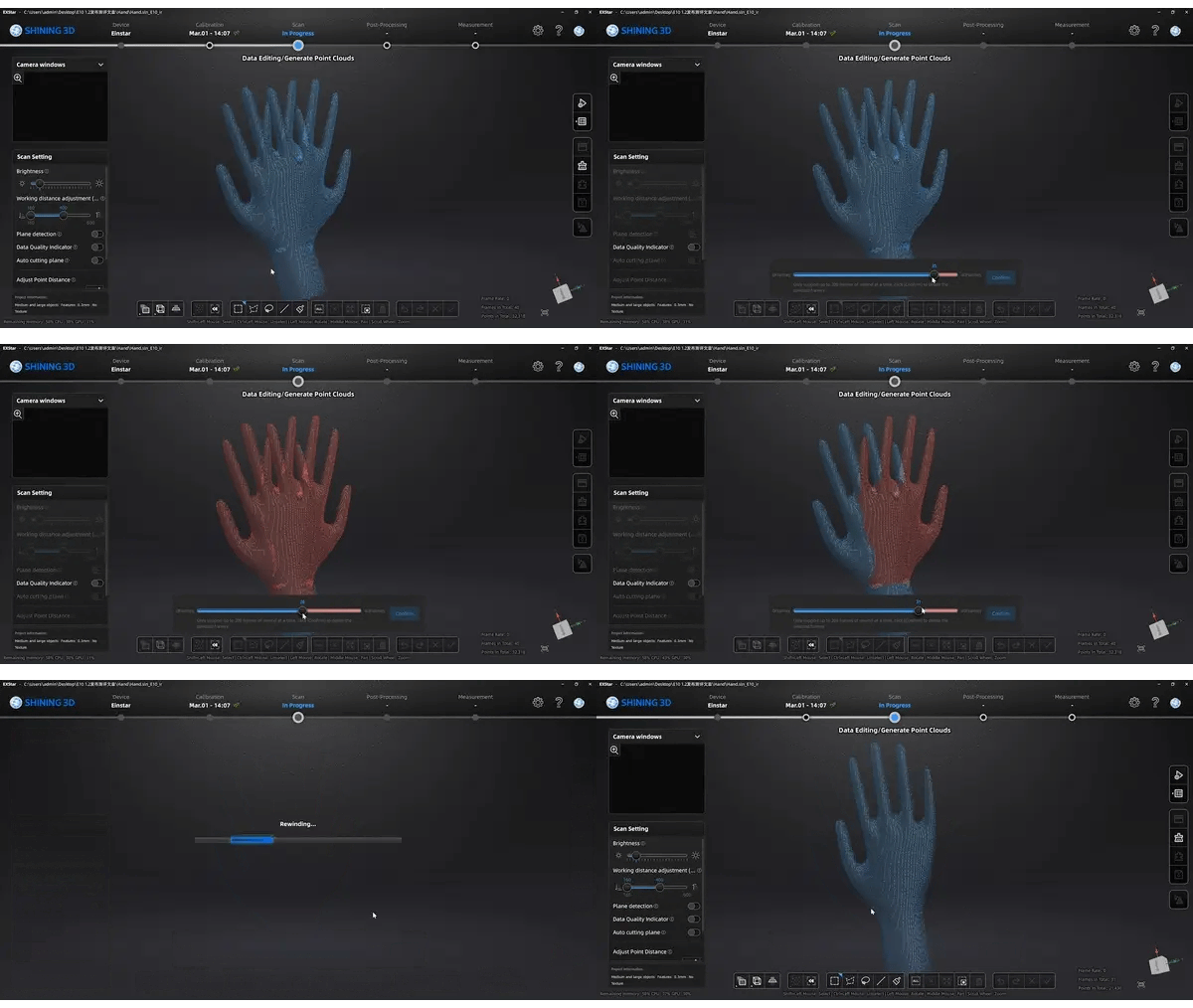
Tarama Geri Sarma
Geri sarma özelliği, hizalamada sorun olduğunda yeniden tarama ihtiyacını ortadan kaldırmak için mevcuttur. Herhangi bir hizalama hatası fark ederseniz, tarama işlemini duraklatıp geri sarma düğmesine basmanız yeterlidir. Her seferinde 200 kareye kadar geri sarabilirsiniz ve seçilen kare kırmızıyla vurgulanır. Daha geriye gitmeniz gerekirse, başlangıç karesine ulaşana kadar 200 kare daha geri sarmak için geri sarma düğmesine tekrar tıklamanız yeterlidir.
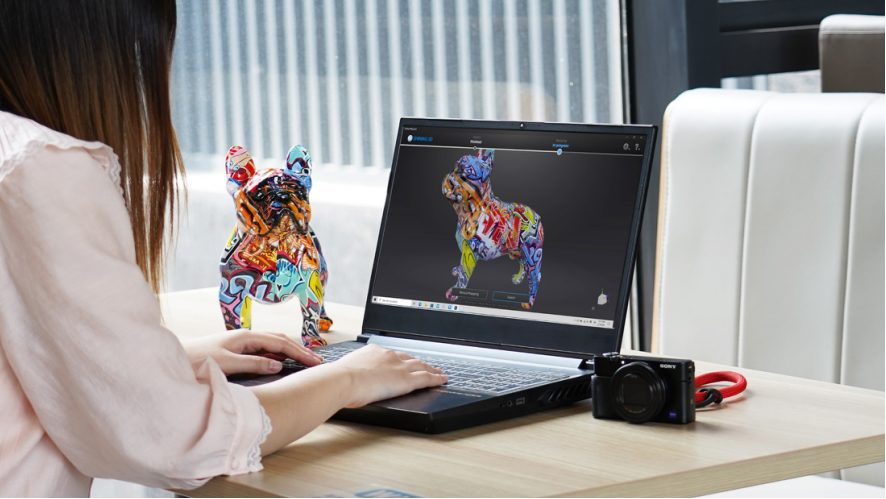
BlueStar Mapping'i Destekleyin
BlueStar Mapping, 3B tarayıcılar için özel olarak tasarlanmış bir doku eşleme yazılımıdır. Bu son teknoloji yazılım, EinScan 3B tarayıcınızla kusursuz bir şekilde entegre olarak 3B tarama ve doku verisi işlemede üstün sonuçlar elde etmenizi sağlar.
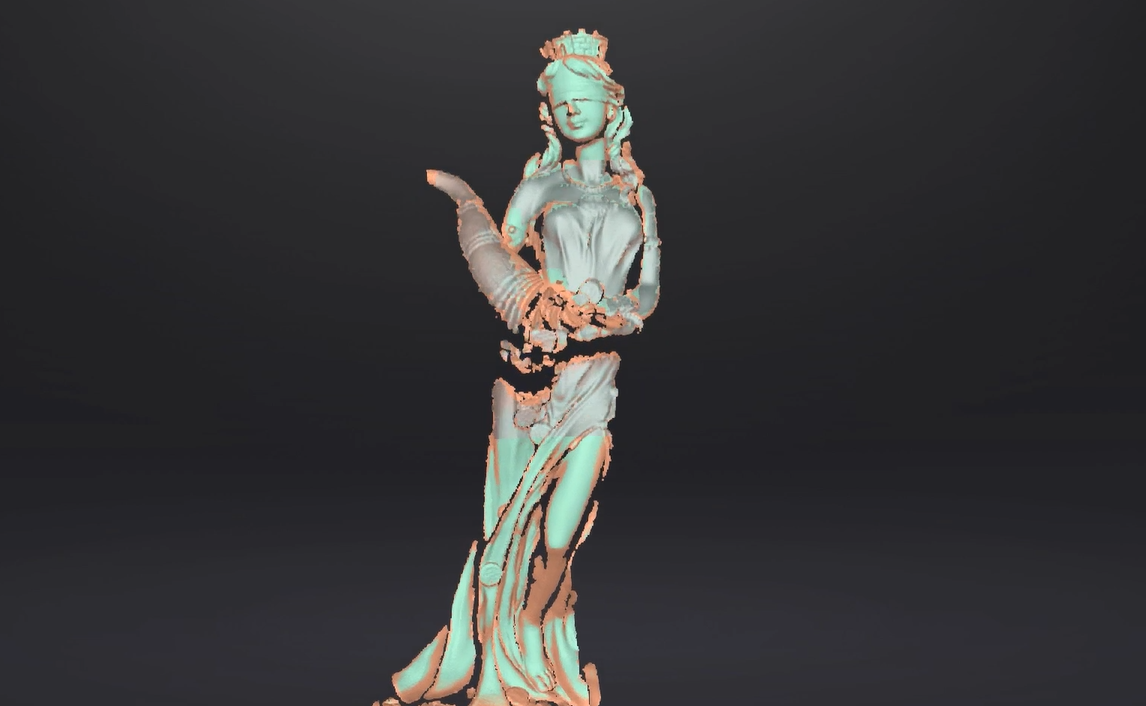
Veri Kalitesi Göstergesi
Veri kalitesi göstergesi, taranan veri bütünlüğünün daha iyi bir görsel temsilini sağlayarak, birden fazla amaç için mükemmel verileri yakalamanıza yardımcı olur.
Kırmızı bölüm : Yetersiz veri, daha fazla tarama gerekiyor.
Yeşil bölüm : Yeterli veri.
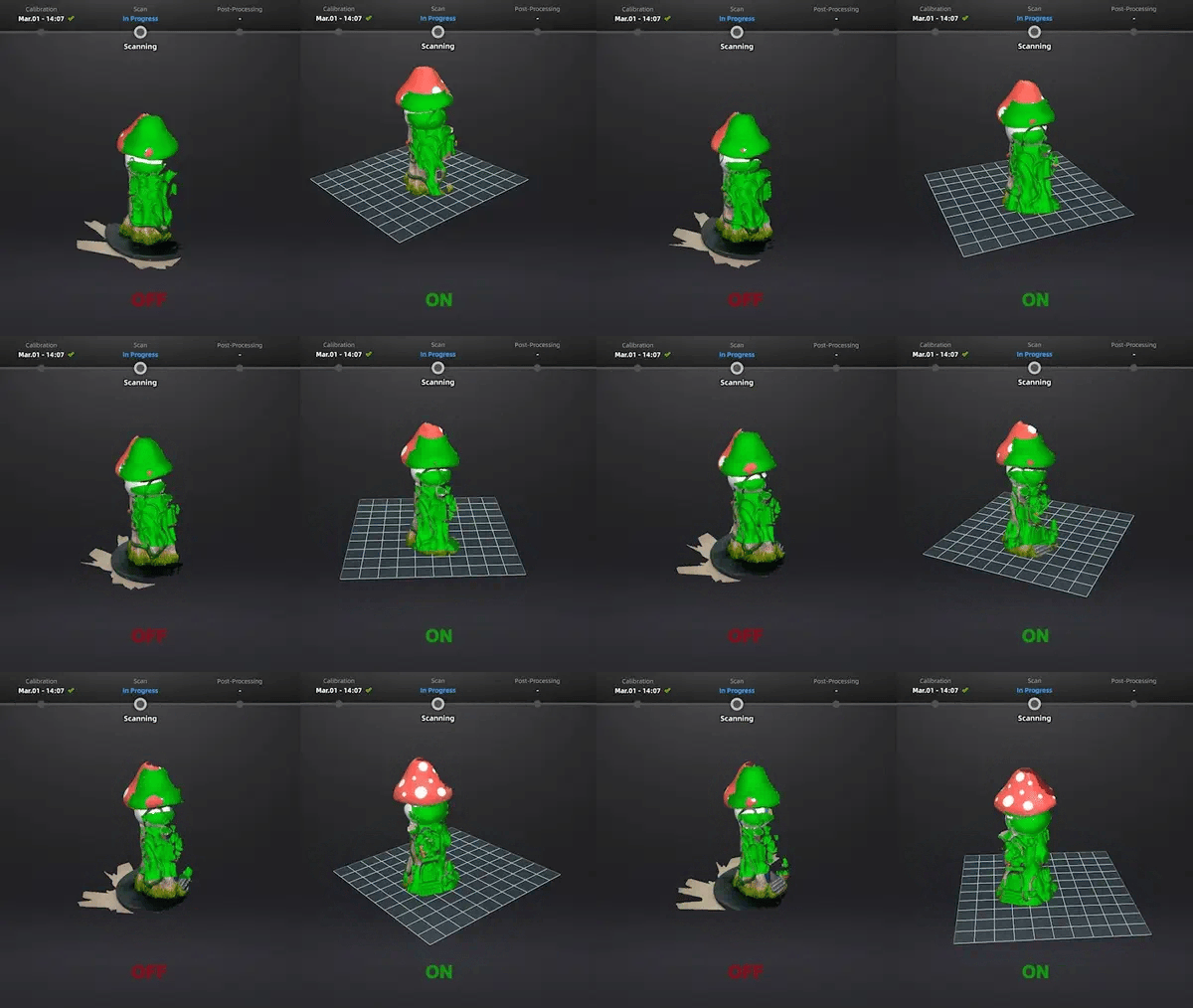
Otomatik Kesme Düzlemi
Tarama sırasında otomatik kesme düzlemi işlevini etkinleştirin. Önizleme sırasında tablo düzlemini otomatik olarak tanımlayın ve istenmeyen temel verileri manuel olarak kaldırma ihtiyacını ortadan kaldırın.


